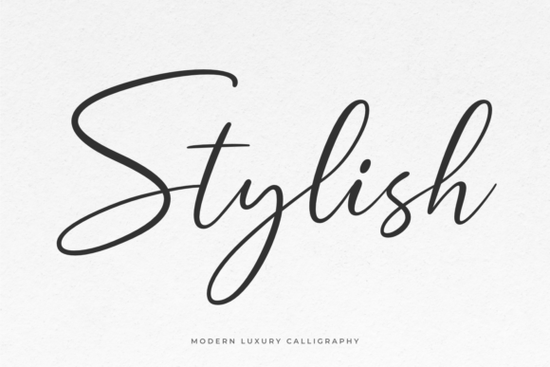
If you're looking for a calligraphy-style font that blends elegance with modern flair, Stylish Font is worth a closer look. Designed with graceful curves and a natural rhythm, it brings a refined touch to everything from wedding invitations to boutique branding. What makes it especially useful for designers and small business owners is its PUA encoding meaning all those decorative swashes and alternate glyphs are easy to access without extra software or workarounds.
What kinds of projects work best with Stylish Font?
This font shines in contexts where personality and polish matter. Think:
- Custom greeting cards or stationery
- Branding for lifestyle, beauty, or wellness businesses
- Social media quotes or promotional graphics
- Print-on-demand products like mugs, tote bags, or wall art
- Digital planners and printable worksheets
Because of its fluid strokes and balanced spacing, Stylish Font avoids looking overly ornate. It’s legible at moderate sizes but still carries enough character to stand out ideal if you want your designs to feel handcrafted without sacrificing clarity.
How does it compare to other script fonts?
Not all script fonts offer the same level of flexibility. Some lack extended character sets or require manual glyph switching. Stylish Font solves this with full PUA support, so you can quickly swap in flourishes or stylistic alternates right from your design app (like Adobe Illustrator, Canva, or Affinity Designer).
If you enjoy Stylish Font’s aesthetic, you might also appreciate similar options that balance readability and decorative detail. For instance, Autography offers a slightly bolder presence, while Handwriting Font leans into casual authenticity. For something with vintage charm, check out Smithson, or explore the delicate pairing in Beautiful Wildflower Duo. And if you prefer sunnier, upbeat scripts, Sunshine Font delivers cheerful energy without losing sophistication.
Can beginners use this font effectively?
Absolutely. Even if you’re new to typography, Stylish Font is intuitive. Start by using it for headlines or short phrases its natural flow means it rarely needs heavy kerning adjustments. Pair it with a clean sans-serif (like Montserrat or Lato) for contrast, and avoid using it in all caps or at very small sizes, where fine details may blur.
Many crafters and Etsy sellers use fonts like this to add a personal signature to their products. Because it’s commercially licensed through Creative Fabrica, you can confidently use it on items you plan to sell just be sure to review the specific license terms included with your download.
Where can you get Stylish Font?
You can find and download Stylish Font directly from Creative Fabrica. The platform frequently runs deals (including their popular $1/month subscription), making it accessible even for hobbyists on a budget. Once downloaded, the font files (.OTF and .TTF) install just like any standard typeface on Mac or Windows.
For reference, Creative Fabrica provides clear licensing info for each product, which is helpful if you’re using fonts for client work or commercial merchandise. You can read more about font licensing basics in their font licensing guide.
Quick checklist before you start designing
- Install both OTF and TTF versions some apps handle one better than the other.
- Use OpenType features (in compatible software) to access swashes and alternates easily.
- Test print or mockup first especially for physical products to ensure fine lines reproduce clearly.
- Pair wisely: combine with simple, neutral fonts to let Stylish Font take center stage.
- Check your license if selling end products, though most Creative Fabrica fonts include commercial use.
Whether you’re designing a logo for a new skincare line or creating printable wedding menus, Stylish Font offers the kind of timeless appeal that feels intentional not trendy. Give it a try the next time your project calls for a little handwritten elegance.
 A Guide to Choosing Creative Handwriting Fonts
 Fun & Readable Fonts for School Projects
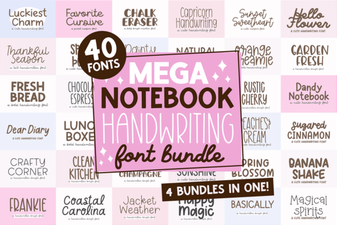 Your Handwriting Toolkit: Mega Notebook Font Bundle
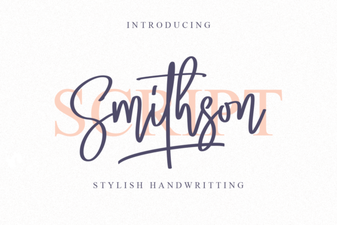 Smithson Font: a Modern Design Tool for Creatives
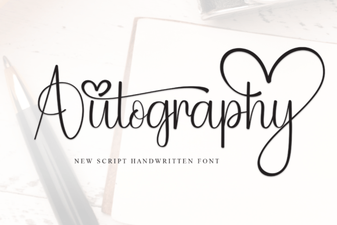 Your Signature in Type: Autography Font Design
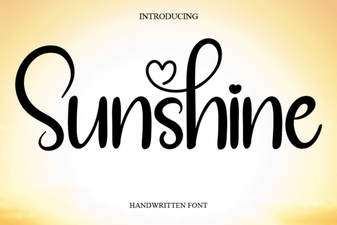 Sunshine Font for Cheerful Designs & Projects